> ## Content Index
> Fetch the complete content index at: https://www.oransblog.com/llms.txt
> Use this file to discover other available public pages before exploring further.
# Web development: back to basics
- URL: https://www.oransblog.com/webdevelopment/
- Published: 2021-12-28T07:23:18.000Z
- Updated: 2026-10-29T05:57:02.000Z
- Author: Oran C
- Tags: #Import 2026-11-12 01:14
### update: 20211230 - i found webcomponents!
Here's my current throughts about what makes the web so hard and complicated to work with
This post is inpired by this talk by [Stuart Langridge](https://www.kryogenix.org/?ref=oransblog.com)
### One of the main points of the talk is: ***Simplicity, and Control***
## Why is the web so complex?
### bundlers are a great example...
#### Stuart Langridge points out that the current reasons are good ones but they are all self justifiing on a pirmid of simple statements.

### He uses a good old days framing to talk about it. but his underlying main point is solid: the web is not a compile target, but a platform of standards use them.
### But making something look good currently everything is built around the it must have javascript mindset
## Possible fixes
### aka things id like the web to have
# builtin component system
### ive been playing around with svelte resently and i like the back to basics approce to formating the components
EX:
###
Code:
```html
```
#
Code reuse like this
```html
import CustomButton from "CustomButton.svelte"
My awesome website
Click Me
```
#
Id like to change this slightly to be more like this
```html
import CustomButton from "https://.com/custombutton"
My awesome website
Click Me
```
This is something that **deno** uses
```javascript
import { assertEquals } from "https://deno.land/std@0.110.0/testing/asserts.ts";
assertEquals("hello", "hello");
assertEquals("world", "world");
console.log("Asserted! ✓");
```
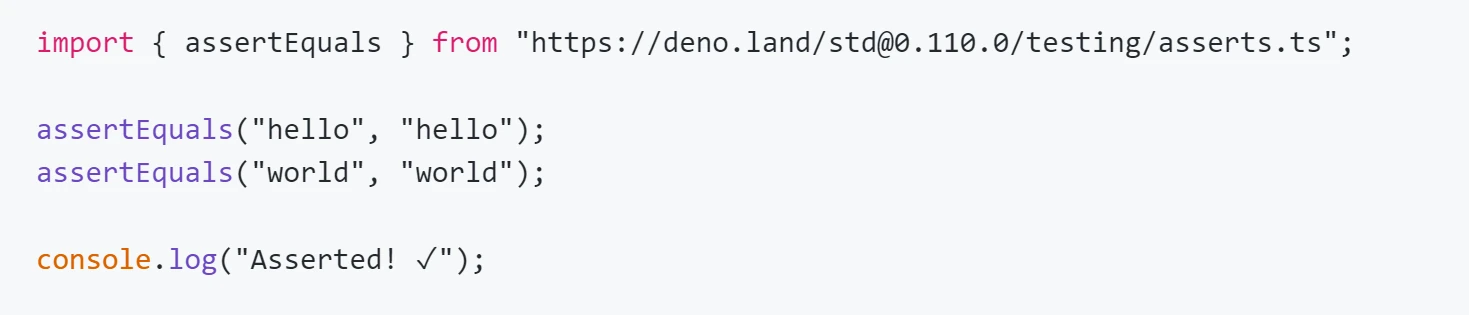
see the import .... from
[Linking to external code](https://deno.land/manual@v1.14.3/linking%5Fto%5Fexternal%5Fcode?ref=oransblog.com)
# The goal and difference here is to have no bundlers, just web standards javascript
### Hurdles:
- Es6 modules importing like this dont currently work
- CORS
- state management
## The fix
### ...kinda

# Webcomponents
### a amazing (and importantly: borning) step forward in web development
After writing the first draft of this article I ran accross `webcomponents`

oh god no not another javascript framework
### what are `webcomponents` ?
webcomponents are not a new javascript framework but just a set of 4-ish webstandards that enables compontization of reusable code, that is afterall the promise of libraries like react, vue, svelte
# what browser features makes up webcomponents?
[Custom Custom Game GIF](https://tenor.com/view/custom-custom-game-lets-play-a-custom-game-text-gif-17382708?ref=oransblog.com)from [Custom GIFs](https://tenor.com/search/custom-gifs?ref=oransblog.com)
# 1) Custom Elements
```html
```
[Mnogonozhka Shadw GIF](https://tenor.com/view/mnogonozhka-shadw-shadow-gif-20459923?ref=oransblog.com)from [Mnogonozhka GIFs](https://tenor.com/search/mnogonozhka-gifs?ref=oransblog.com)
# 2) Shadow DOM : css style isolation
shadow dom is a way to isolate css styles of your component from effecting the rest of your page
# 3) ES Modules
```javascript
import "https://example.com/module.mjs";
```
# 4) HTML Templates
```html
const template = document.createElement('template').innerHTML = `
`;
```
here we are creating a html template, i think they are basically like JSX *(react's answer to html within javascript )*
## Examples
[Crying Jordan GIF](https://tenor.com/view/crying-jordan-slot-machine-sad-face-michael-jordan-gif-16395341?ref=oransblog.com)from [Crying GIFs](https://tenor.com/search/crying-gifs?ref=oransblog.com)
## html templates `Slots`:
this is a advanced feature but its really great to see it implemented into the browser
this is something that is part of svelte, and react. slots are a pattern for allowing nested components in the dom
### lets look at a `slots` example
`/index.html`
```html
我吃bing@gmail.com
555-555-5555
```
[/main.js](//main.js)
```javascript
..sniped..
let template = `
`
...sniped.
```
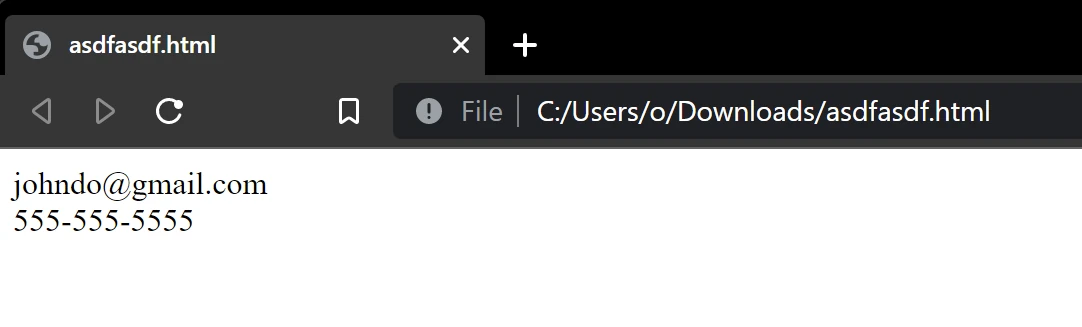
Full example
```javascript
johndo@gmail.com
555-555-5555
```
### Webcomponent argument example
```html
```
## take note of `` the 'name' prop is similar to react props
# getting that to work is actually kinda annoying
```javascript
//1) create a html template
const template = document.createElement('template');
template.innerHTML =``
//2) setup vertual dom to use html template
this.attachShadow({ mode: "open" });
this.shadowRoot.appendChild(template.content.cloneNode(true));
//3) use `querySelector` to modify the dom element
/// this one is interesting this.getAttribute is the equivalent in react to UserInfo({name}){} which is cool
this.shadowRoot.querySelector("button").innerText = this.getAttribute("name");
```
## how to use webcomponets
### or my learnings for playing with them for a bit
---
## Throughts on webcomponents
### its still evolving...
# Current browser support
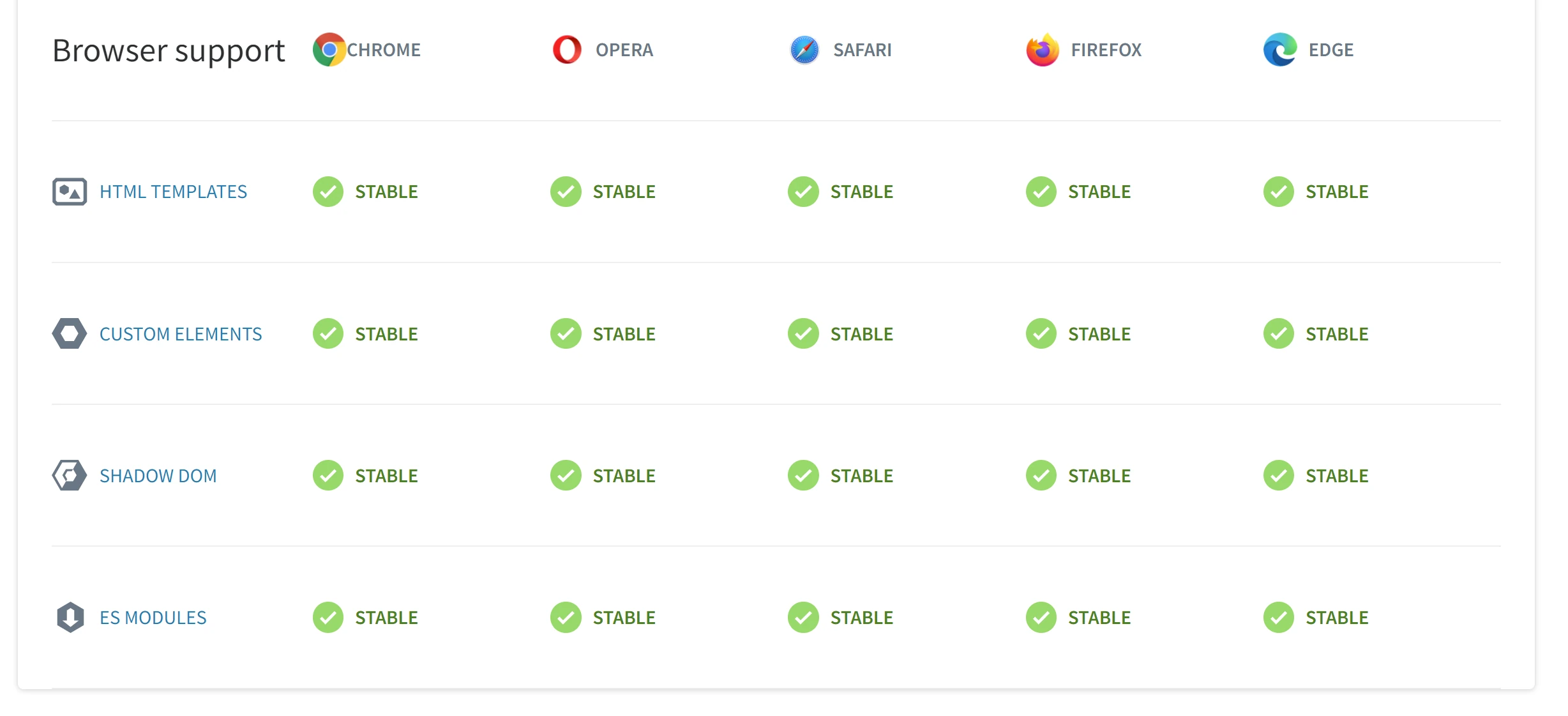
### its pretty good for evergreen browsers
---
# Overall:
### `great start`, but is currently really boilerplat-y, and could benifit form a simpler api, good building blocks, currently not not easy to use
### what its missing:
- statemanagment
- reactivity
- import-maps (allows for npm module loading in a sain way)
- [WICG/import-maps: How to control the behavior of JavaScript imports](https://github.com/WICG/import-maps?ref=oransblog.com)
[Just Basic Stuff Normal GIF](https://tenor.com/view/just-basic-stuff-basic-stuff-normal-ordinary-common-gif-15908780?ref=oransblog.com)from [Just Basic Stuff GIFs](https://tenor.com/search/just+basic+stuff-gifs?ref=oransblog.com)
### I see webcomponents as a trend to want to get back to the basics of webdevelopment, and let bundlers do what their good at bundling. not a making them a requirement for everyting in web dev
---
# Read more cool stuff!
Recommended posts:
[Hidden Javascript featuresHere are some uncommon or little known used javascript features const b = template\` wait what? \`Oran's BlogOran C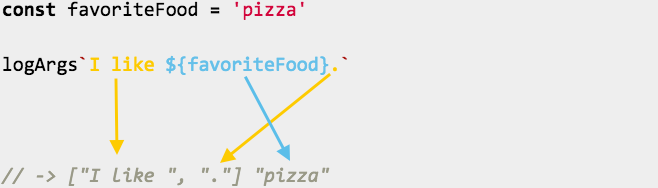](https://www.oransblog.com/javascript/)
[Little-known javascript “window” functionsMy Deep dive into the browsers global “window” object. Journey:I was interested to see what all the functions were on the global window object. Object.getOwnPropertyNames(window).map(x => { try{ console.log(x, window\[x\]) }catch(e){ console.log("NOT FOUND") } }) Example outputFavorite fi…Oran's BlogOran C](https://www.oransblog.com/javascript-window/)
---

# Author
by oran collins
github.com/wisehackermonkey
