> ## Content Index
> Fetch the complete content index at: https://www.oransblog.com/llms.txt
> Use this file to discover other available public pages before exploring further.
# Electron quick start
- URL: https://www.oransblog.com/electron-quick-start/
- Published: 2021-12-27T18:17:23.000Z
- Updated: 2026-10-29T05:57:01.000Z
- Description: This is not a full tutorial but just the commands I need to run inorder to get electron installed in a new project
- Author: Oran C
- Tags: javascript, coding, bundler, electron, node.js, #Import 2026-11-12 01:14
This is not a full tutorial but just the commands I need to run inorder to get electron installed in a new project
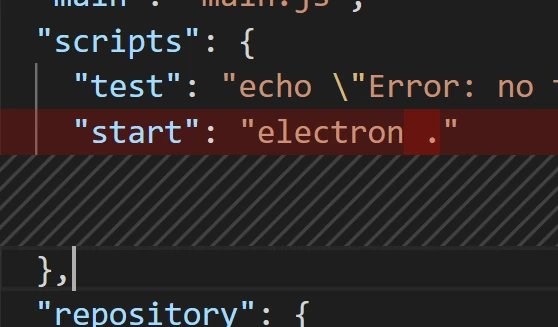
Your `package.json` file should look something like this:
```json
{
"name": "my-electron-app",
.....
"main": "main.js",
"scripts": {
"start": "electron ."
}
......
"license": "MIT"
}
```
# Create the following files...
`index.html`
```html
Hello World!
Hello World!
We are using Node.js ,
Chromium ,
and Electron .
```
`main.js`
```js
// main.js
// Modules to control application life and create native browser window
const { app, BrowserWindow } = require('electron')
const path = require('path')
function createWindow () {
// Create the browser window.
const mainWindow = new BrowserWindow({
width: 800,
height: 600,
webPreferences: {
preload: path.join(__dirname, 'preload.js')
}
})
// and load the index.html of the app.
mainWindow.loadFile('index.html')
// Open the DevTools.
// mainWindow.webContents.openDevTools()
}
// This method will be called when Electron has finished
// initialization and is ready to create browser windows.
// Some APIs can only be used after this event occurs.
app.whenReady().then(() => {
createWindow()
app.on('activate', function () {
// On macOS it's common to re-create a window in the app when the
// dock icon is clicked and there are no other windows open.
if (BrowserWindow.getAllWindows().length === 0) createWindow()
})
})
// Quit when all windows are closed, except on macOS. There, it's common
// for applications and their menu bar to stay active until the user quits
// explicitly with Cmd + Q.
app.on('window-all-closed', function () {
if (process.platform !== 'darwin') app.quit()
})
// In this file you can include the rest of your app's specific main process
// code. You can also put them in separate files and require them here.
```
`preload.js`
```js
// preload.js
// All of the Node.js APIs are available in the preload process.
// It has the same sandbox as a Chrome extension.
window.addEventListener('DOMContentLoaded', () => {
const replaceText = (selector, text) => {
const element = document.getElementById(selector)
if (element) element.innerText = text
}
for (const dependency of ['chrome', 'node', 'electron']) {
replaceText(`${dependency}-version`, process.versions[dependency])
}
})
```
# quick start comands
### development at this stage
```bash
npm install --save-dev electron
npm start
```
### Package the app executable
```bash
npm install --save-dev @electron-forge/cli
```

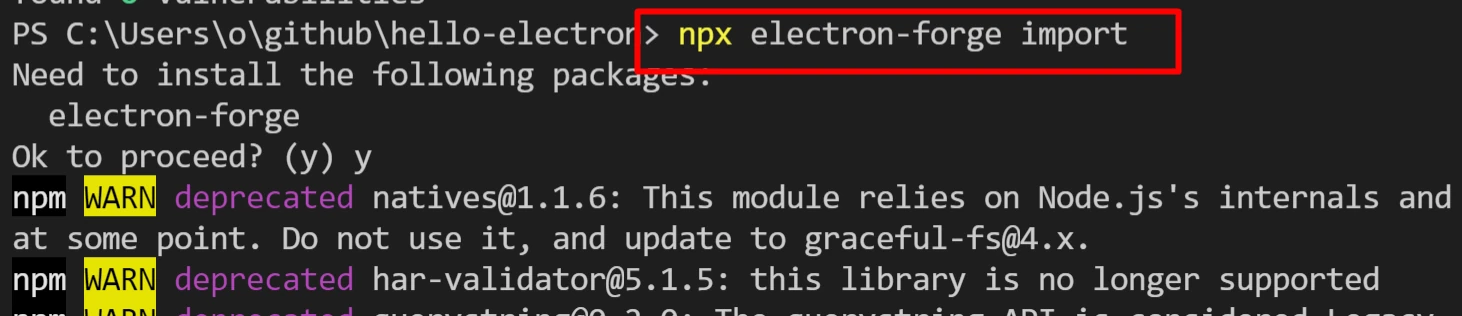
```bash
npx electron-forge import
```
```bash
npm run make
```

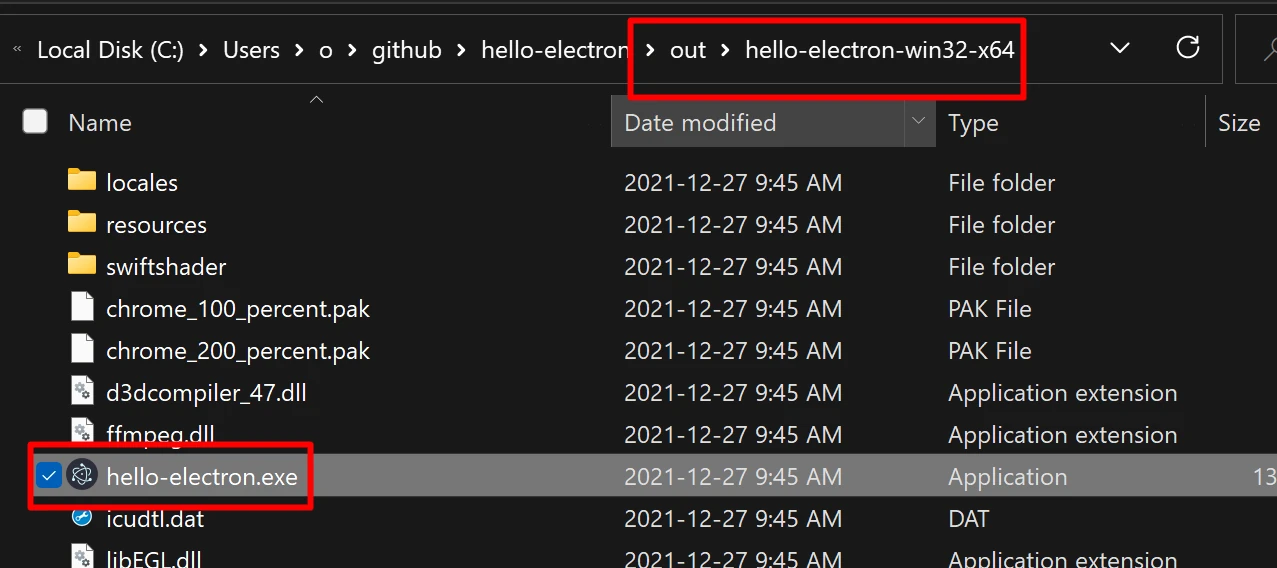
# where the resulting exe is located! `./out/-win32-x64/.exe`
# open that shit!
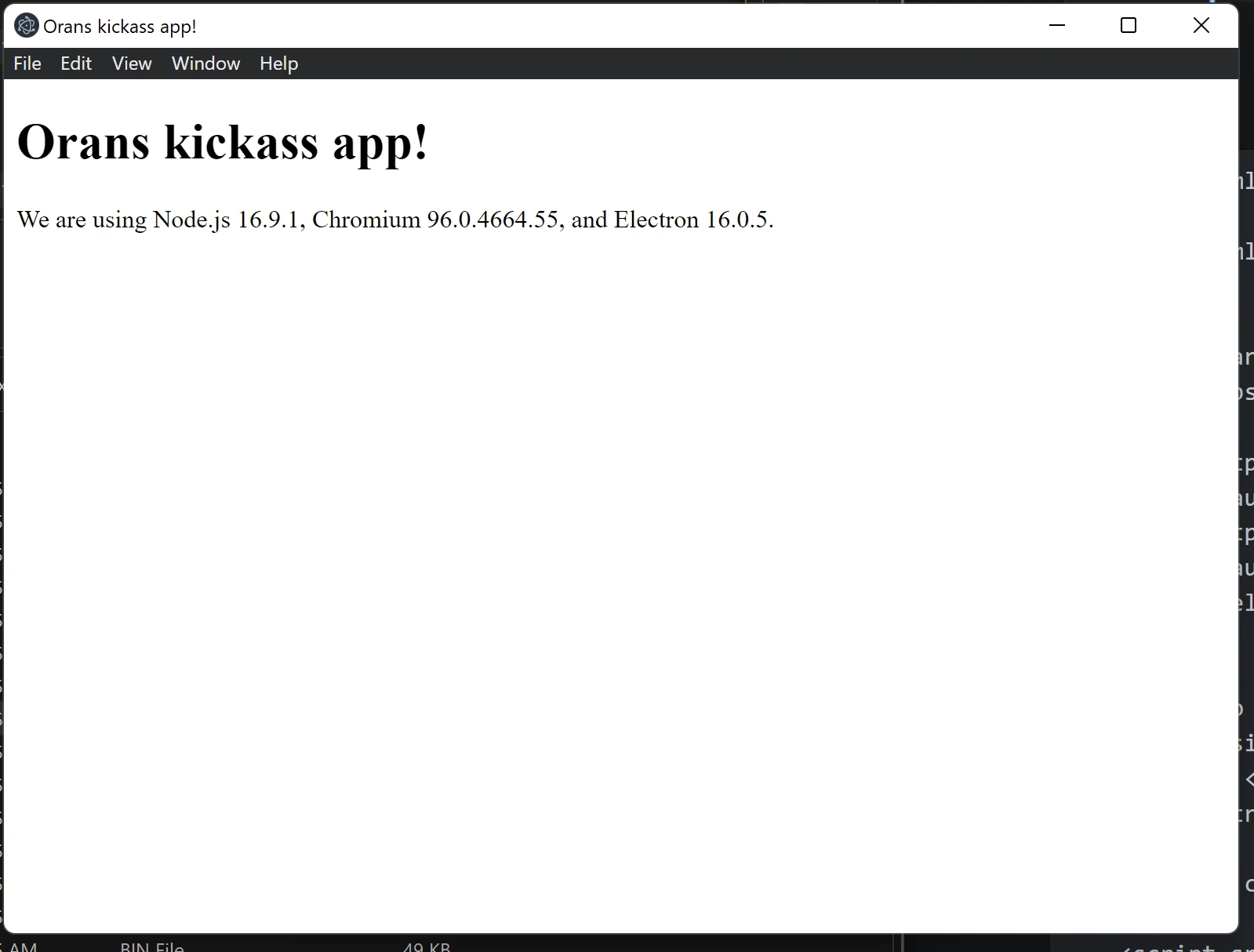
# Sucess! 🎉🎊🎉
---
# Bonus advanced github actions
```yaml
name: Build/release
on: push
jobs:
release:
runs-on: ${{ matrix.os }}
strategy:
matrix:
os: [macos-latest, ubuntu-latest, windows-latest]
steps:
- name: Check out Git repository
uses: actions/checkout@v1
- name: Install Node.js, NPM and Yarn
uses: actions/setup-node@v1
with:
node-version: 10
- name: Build/release Electron app
uses: samuelmeuli/action-electron-builder@v1
with:
# GitHub token, automatically provided to the action
# (No need to define this secret in the repo settings)
github_token: ${{ secrets.github_token }}
# If the commit is tagged with a version (e.g. "v1.0.0"),
# release the app after building
release: ${{ startsWith(github.ref, 'refs/tags/v') }}
```
## how to test locally
### I have a blog post about this for more info
[How to run test github actions locally!I was looking for a faster way to debug github actions, and i found it!Oran's BlogOran C](https://www.oransblog.com/act/)
For the lazy:
windows: this is important ADMIN WINDOW!
```powershell
Set-ExecutionPolicy Bypass -Scope Process -Force; [System.Net.ServicePointManager]::SecurityProtocol = [System.Net.ServicePointManager]::SecurityProtocol -bor 3072; iex ((New-Object System.Net.WebClient).DownloadString('https://community.chocolatey.org/install.ps1'))
choco install act-cli
act -l
act
```
---

# Author
by oran collins
github.com/wisehackermonkey

20211227